Getting started
Attempting to reconnect
Updates
January 20, 2026
Test Mode Transformations allow you to simulate shipment lifecycle events and quote request status changes directly from the dashboard. This self-service capability helps you test and validate your integration.
Transformations are only available for Test Mode resources and will trigger relevant events and notifications as configured for Test mode for Emails and Webhooks.
Read about all available Transformations here.
How It Works
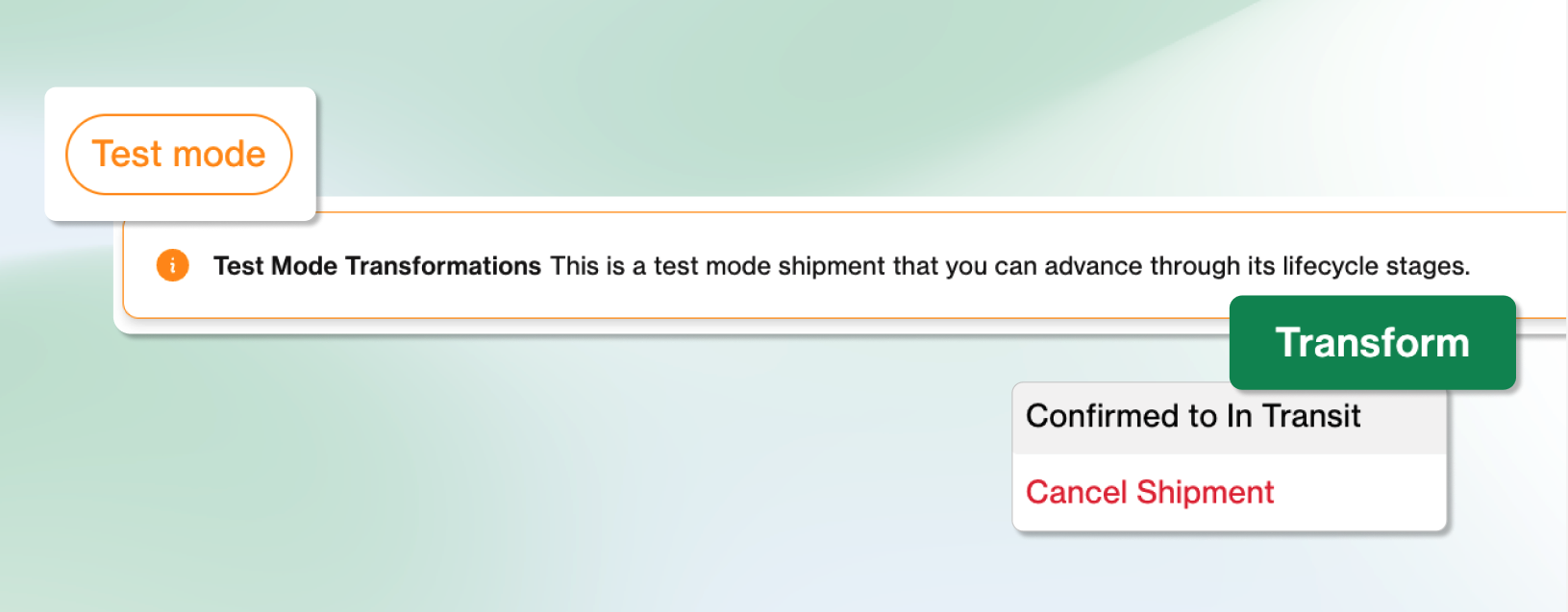
When viewing a Test Mode shipment or quote request in the Dashboard, you’ll see a Test Mode Transformations banner and action button. This button displays the available actions based on the resource’s current status and quote type. Selecting a transformation will prompt you to confirm before executing.
Transformations are available for both Shipments and Quote Requests. Shipment Transformations include progressing the shipment through its lifecycle and cancellation. Quote Request Transformations include changing the status to Expired or Disqualified.
After confirmation, the transformation executes and updates the resource to its new status.
The Transformations button is only visible when:
- The resource is in Test Mode
- At least one transformation is available for the current status