Getting started
Attempting to reconnect
Updates
January 21, 2026
Meet Arta AI, a new conversational assistant built directly into the Arta Sellers Dashboard. Instead of switching between tools or compiling reports and quotes offline, you can now describe what you are trying to accomplish in plain language and let the assistant help. Arta AI helps sellers turn item lists into instant estimates and bookable shipping quotes, track shipments in a more intuitive way, export data for reporting and analysis, and quickly find answers from the Arta Manual without leaving their existing workflow. All of this happens through a simple chat interface that sits alongside the tools you already use.
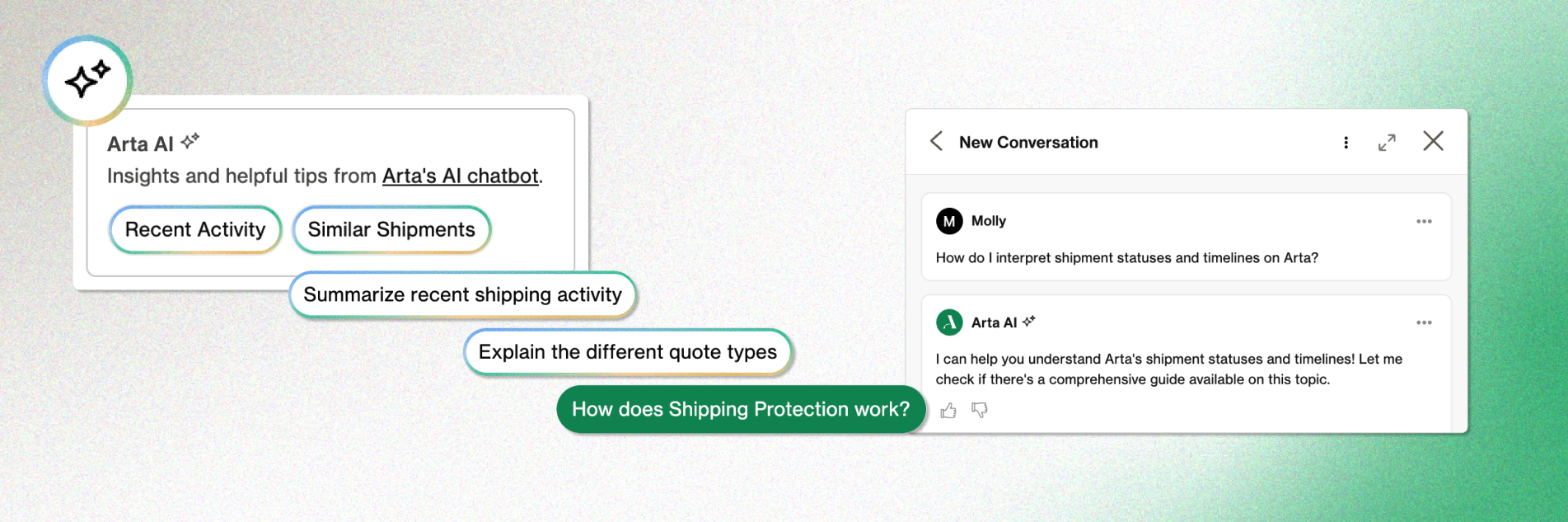
What you can do with Arta AI
One of the most powerful uses for Arta AI is turning messy inputs into instant quotes. Shipping workflows often start from emails, invoices, PDFs, or spreadsheets instead of from clean, structured data. Arta AI is designed for this reality. You can paste line items from an invoice, upload a CSV of items from your ecommerce platform, share a PDF catalog, or provide a URL for a page listing available works. The assistant parses this material, helps you clean it up, and then creates instant quote requests ready for you to review and book.
Arta AI also makes it easy to
- ask plain‑language questions about your shipments
- create quick downloadable reports
- get more information about customs clearance processes, shipping types, and other complex subjects
Read more about Arta AI, its capabilities, and how it was built in the guide.
Getting started
Arta AI is available in the Arta Sellers Dashboard for eligible sellers. To get started, log in to your dashboard and look for the Arta AI chat panel. Open it and ask a simple question such as “What can you help me with?” or give the assistant a task, like “Create instant quotes from this CSV.”